
By default, the elevation plot displays the elevation for an elapsed time.
Read this GPSVisualizer tutorial on Calculating Elevation Gain, and refine your recorded elevation data as desired.
See How To... > Altimeter > Accuracy for important information regarding Garmin Outdoor products reported elevation value.
Use the Barometric Pressure plot to predict the weather: See How To... > Altimeter > Weather Station
The only Altimeter related functions provided by the Montana 6x0 are the Elevation Above Ground and Vertical Speed to Destination data fields.
All remaining Elevation Plot page features are directly related to Elevation, Ambient Pressure and Barometric Pressure.
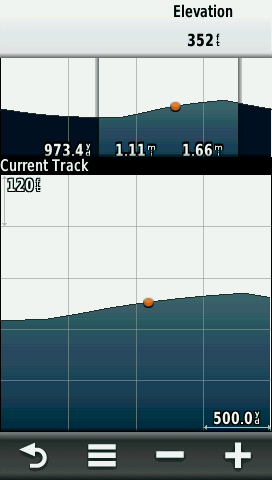
Select the X or Y axis scales and use + and - to adjust.
Select an individual point on the plot and details about the point will appear in the upper-left corner of the plot.

[Change Plot Type]
[Elevation/Time] [Elevation/Distance] [Barometric Pressure] [Ambient Pressure]
[Reset]
[Reset Trip Data] [Delete All Waypoints] [Clear Current Track] [Reset All Settings]
[Calibrate Altimeter]
Runs through a calibration sequence. Need to enter correct elevation or correct pressure.
[Lock Data Fields]
Prevents data field changes.
[Restore Defaults]
Clears all user settings.
