- Media Transfer Protocol Mode enables computer access to files stored in the eTrex Touch 2 internal memory.
- When connected to a computer via USB data cable
with 'Settings > System > Advanced Settings > USB Mode' set to:
- MTP Mode: The eTrex Touch 2 will automatically enable MTP Mode.
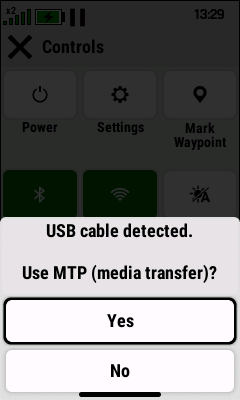
- Garmin: The
eTrex Touch 2 will prompt the user to
enable MTP Mode:
 |
 |
 |
|---|---|---|
| Select 'No' to use the GPSr | Select 'Yes' to enable | Media Transfer Protocol |
| while sharing GPS data over USB | MTP Mode | Enabled |
