Home Page
-
Press
 to view available Home Pages
- As many as 12 Home Pages
can be displayed for each
Activity
- Unpinned pages are displayed first,
followed by any Pinned pages
- Unpinned pages are displayed only
for the current activity
- Pinned pages are displayed for all
activities
- Each Home Page can display two to
seven Glances in one
of seven unique configurations
- Each Glance can be configured as
desired to display live data or App / Settings shortcuts
|
|
|
Home Page Configuration |
|
|
- Each Home Page can display
two to seven Glances in one
of seven unique configurations
|
 |
 |
 |
 |
| 2 Glances |
3 Glances |
4 Glances |
4 Glances |
| |
|
|
|
 |
 |
 |
|
| 5 Glances |
6 Glances |
7 Glances |
|
| |
|
|
|
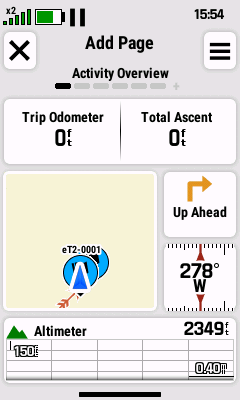
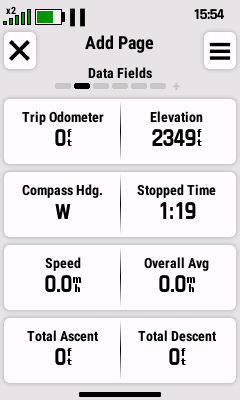
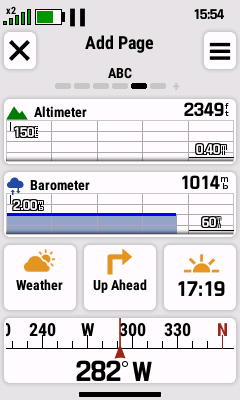
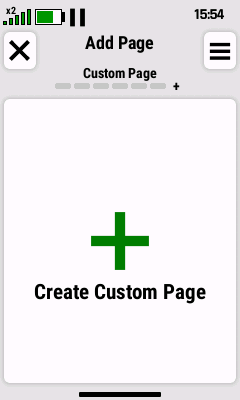
Add
New Home Page |
|
|
-
As many as 12 Home Pages
can be displayed for each
Activity
- Clone an existing page or create your own
|
 |
 |
 |
 |
| Touch and Hold |
Select 'Edit Home
Screen' |

|
Select 'Add Page' |
|
|
Scroll Right to the end |
|
| |
|
|
|
 |
 |
 |
 |

|
Touch to Add Current
Page, or |
|
Select 'Create Custom
Page' |
| Scroll Available Pages |
|
Scroll Right to the end |
|
| |
|
|
|
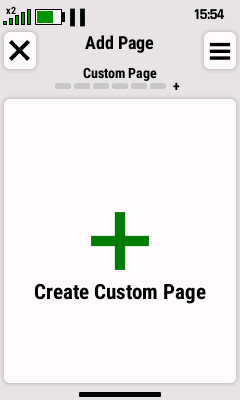
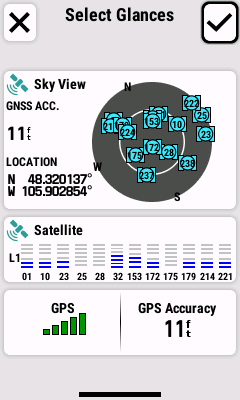
Create Custom Page |
|
|
- Create a custom page from scratch
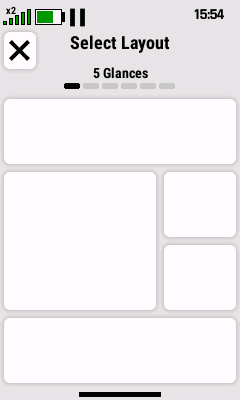
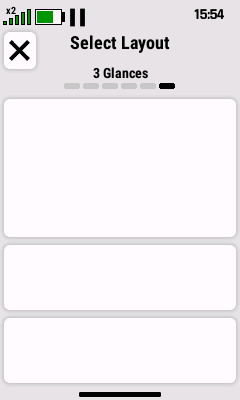
- Choose a page layout, then assign glances, data fields,
and shortcuts as desired
|
 |
 |
 |
 |
| Select 'Create Custom
Page' |
|
Touch to Select |
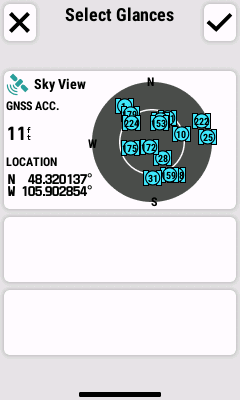
Touch to Select Empty Glance |
|
Scroll Available Pages |
Desired
Configuration |
|
| |
|
|
|
 |
 |
 |
 |
|
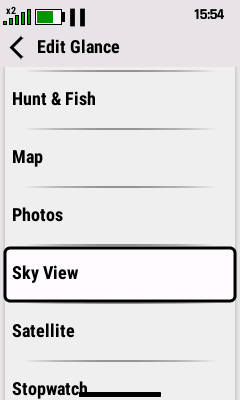
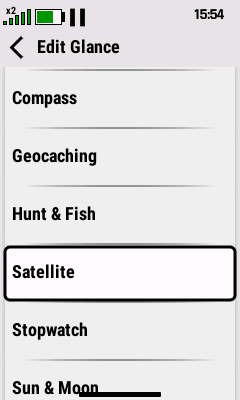
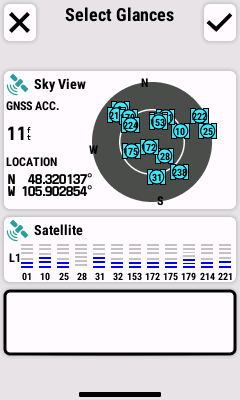
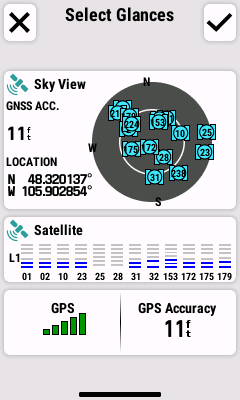
Choose Desired Glance |
Selected Glance is Added |
Touch to Select Empty Glance |
Choose Desired Glance |
|
to Home Page |
|
|
|
|
|
|
|
 |
 |
 |
 |
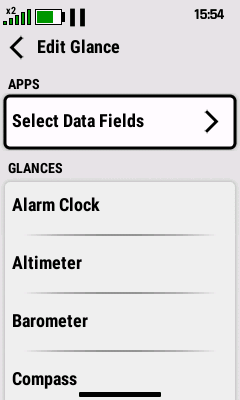
| Selected Glance is Added |
Touch to Select Empty Glance |
Choose Desired Glance |
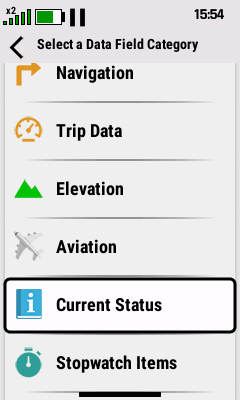
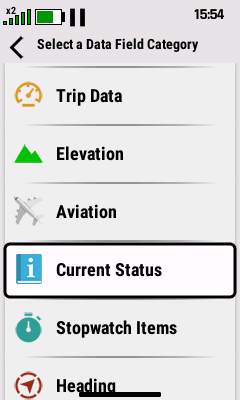
Select a Category |
| to Home Page |
|
|
for Left Data Field |
| |
|
|
|
 |
 |
 |
 |
|
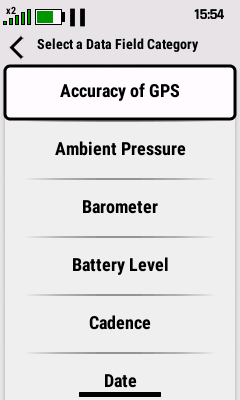
Select Left Data Field |
Select a Category |
Select Right Data Field |
Selected Glance is Added |
|
for Right Data Field |
|
to Home Page |
|
|
|
|
|
 |
 |
 |
 |
Select
 to Accept
 |

|
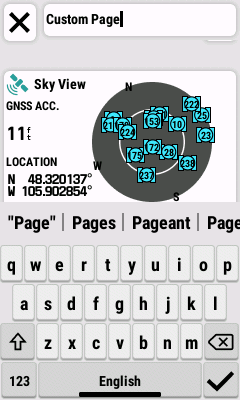
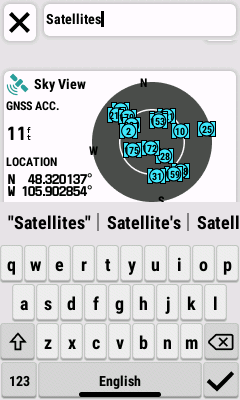
Enter Desired Text and |
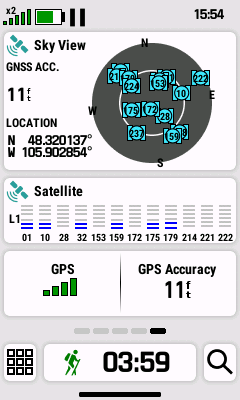
Custom Home Page |
|
Delete Existing Text |
Select
to Accept |
is Completed |
| |
|
|
|
Pin Home Page |
|
|
-
Pinned pages are displayed for all
activities
-
Pinned pages are displayed in sequence after any unpinned
pages
|
 |
 |
 |
 |
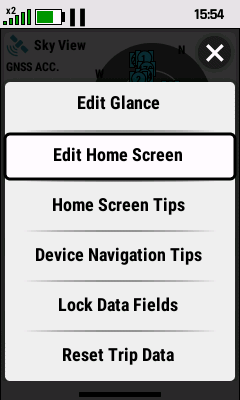
| Touch and Hold |
Select 'Edit Home
Screen' |
|
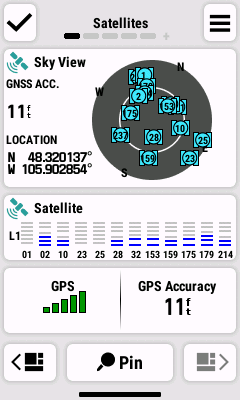
Select 'Pin' |
|
|
Scroll to Desired Page |
|
| |
|
|
|
 |
 |
 |
|
|
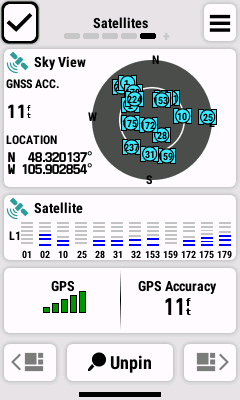
Page is Pinned |
Select
to Accept |
Page is Relocated to |
|
|
|
end of Pinned Pages |
|
| |
|
|
|
Unpin Home Page |
|
|
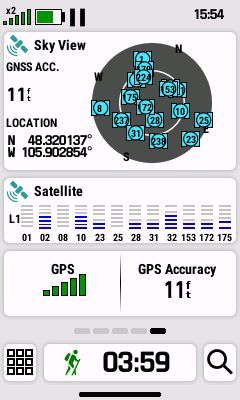
-
Unpinned pages are displayed only for the current activity
-
Unpinned pages are displayed in sequence before any pinned
pages
|
 |
 |
 |
 |
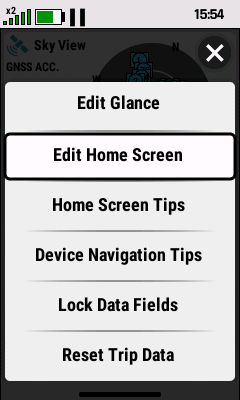
| Touch and Hold |
Select 'Edit Home
Screen' |
|
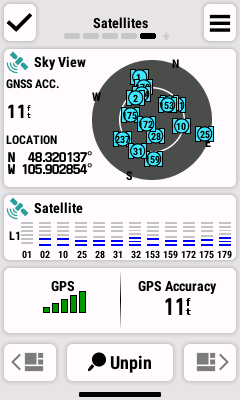
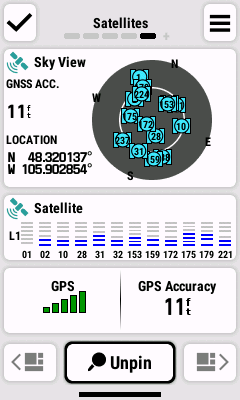
Select 'Unpin' |
|
|
Scroll to Desired Page |
|
| |
|
|
|
 |
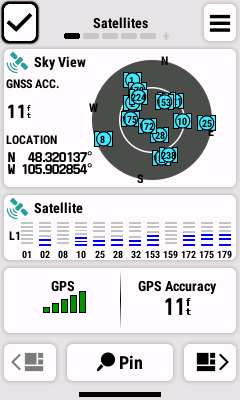 |
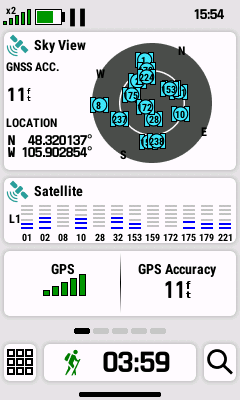 |
|
|
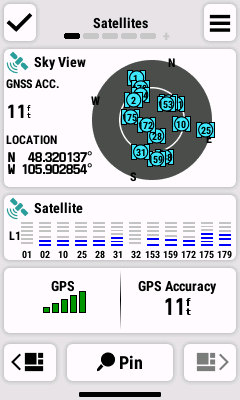
Page is Unpinned |
Select
to Accept |
Page is Relocated to |
|
|
|
end of Unpinned Pages |
|
| |
|
|
|
Move Home Page |
|
|
- Change the Home Page display sequence
- Pinned and unpinned pages can only be moved within their
respective groups
|
 |
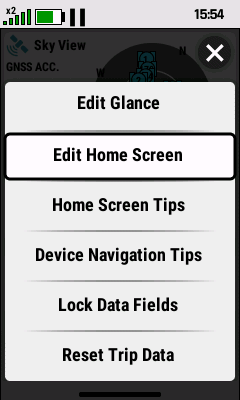 |
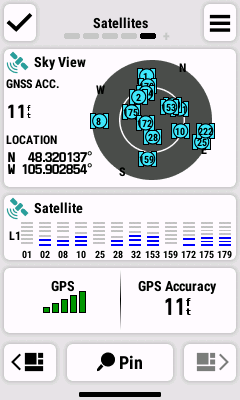 |
 |
| Touch and Hold |
Select 'Edit Home
Screen' |
|

 |
|
|
Scroll to Desired Page |
Move Page as Desired |
| |
|
|
|
 |
 |
 |
 |
|
Page Location is Updated |
|
Select
when Finished |
Page is Relocated to |
|
Move Page as Desired |
|
Selected Location |
| |


