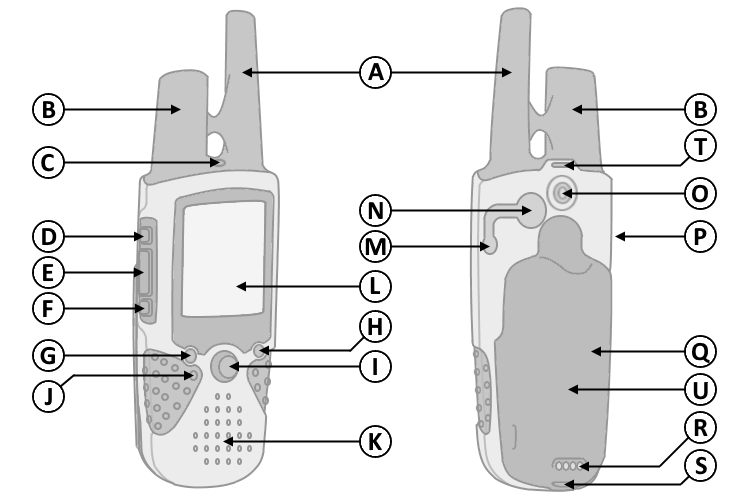
| C. Power Button |
|
G. Volume Button |
|
1. Press and hold to turn unit on/off. |
|
1. Press to open
Volume/Squelch control window. |
|
2. Press to access backlight adjustment. |
|
2. Press
and hold to mute/unmute speaker. |
| D.
Call Button |
|
H. Zoom/Map Button |
|
1. Press to transmit call tone. |
|
1. Press to open Map page. |
|
• Sends position when released (if enabled). |
|
2. Press
to open
Zoom controls in Map page. |
| E. Talk Button |
|
I.
Thumb Stick (Enter) |
|
1. Press and hold to transmit audio. |
|
1. Press to confirm data entry or menu selections. |
|
• Sends position when released (if enabled). |
|
2. Press
and hold to open
Shortcuts Menu. |
| F. Page/Quit Button |
|
• Highlight and select 'Mark Waypoint' to save current
location. |
|
1. Press to loop through
main display pages. |
|
• Highlight and select 'Find' to begin navigation. |
| 2. Press to exit/quit a
function. |
|
• Highlight and select 'Lock Keys' to lock keys. |
| 3. Press twice to
return to
Main Menu. |
|
3. Move
up, down, right or left to navigate menu selections or pan map
arrow. |
| 4. Press and hold until 'Keylock Disabled' to unlock keys. |
|
|