
Share Your Adventure
- Devices equipped with inReach technology can send track points at user configured time intervals.
- You can choose to share your adventure in real-time with family and friends via your MapShare page.
- MapShare followers can view your progress, ping your current location, and exchange messages during your trip.
- Tip: When a Bluetooth paired smart phone with an active network connection is available, Garmin LiveTrack can also share your activities in real-time without incurring additional inReach subscription fees.
- Additional inReach applications can be found in the inReach page.
- View current inReach service status.
- The Tracking icon changes appearance to reflect current inReach Tracking status.
 |
 |
||
|---|---|---|---|
| Disabled | Enabled |
Map Display
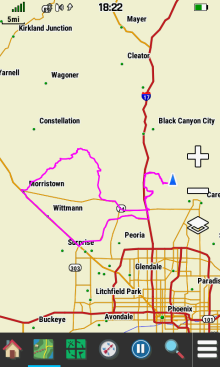
- While inReach Tracking is enabled, a marker for each tracking point from the current tracking session is displayed on the Map page.
 |
 |
||
|---|---|---|---|
| inReach Tracking Disabled | inReach Tracking Enabled |
Start Tracking
- Start an inReach Tracking Session.
-
When Link with Recording is enabled:
- Recording Controls will be started when inReach Tracking begins.
-
When Link with Recording is
disabled:
- inReach Tracking sessions started while an Activity is recording will pause and resume with the Recording Controls page.
- inReach Tracking sessions started while an Activity is not recording will stop the next time the Recording Controls page is paused.
- View the Montana 7x0i Tracking Flowchart for additional clarification.
-
When Link with Recording is enabled:
- Always perform an inReach Service Communications Test before every trip.
 |
 |
 |
 |
|---|---|---|---|
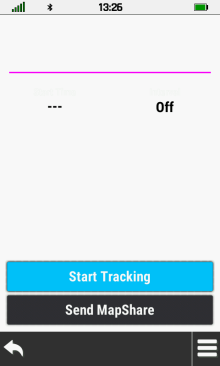
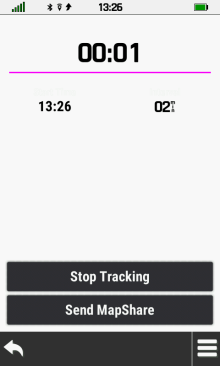
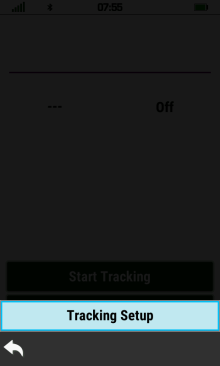
| [Start Tracking] | The inReach tracking timer begins while start time and send interval values are updated |
The send interval displays 'Rest' while stationary, and no tracking points are sent |
 [Tracking Setup] |
Stop Tracking
- Stop an active inReach Tracking Session.
-
When Link with Recording is enabled:
- Recording Controls will be paused when inReach Tracking stops.
-
When Link with Recording is
disabled:
- Stopping an inReach Tracking session that was started while an Activity was recording will have no affect on the Activity Recording.
- Stopping an inReach Tracking session that was started while an Activity was not recording will pause the Activity Recording.
- View the Montana 7x0i Tracking Flowchart for additional clarification.
-
When Link with Recording is enabled:
 |
 |
 |
 |
|---|---|---|---|
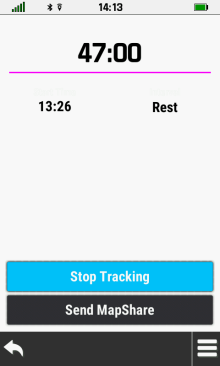
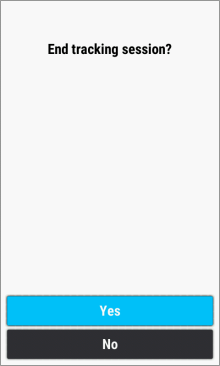
| inReach Tracking is active | [Stop Tracking] | [Yes] | inReach Tracking is disabled |
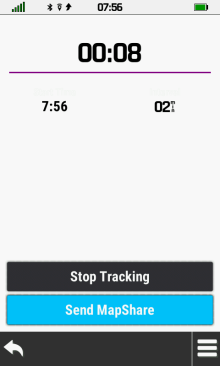
Send MapShare
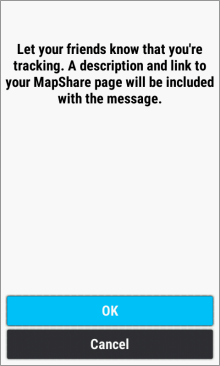
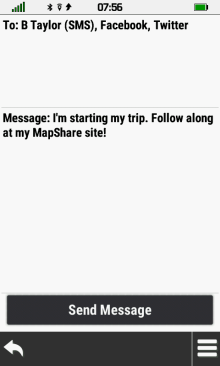
- Share your adventure progress with family and friends in real time!
- MapShare must be enabled in your Garmin Explore account.
 |
 |
 |
 |
|---|---|---|---|
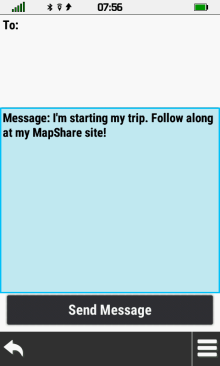
| [Send MapShare] | [OK] | Default message is displayed | Select message to edit |
 |
 |
 |
 |
Edit
message as desired |
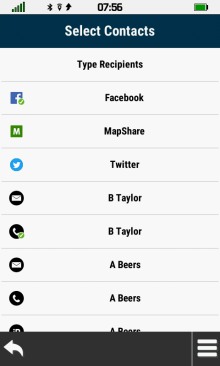
Select recipient field | Toggle available device contacts as desired |
 when complete |
 |
 |
 |
 |
| Selected contacts are added to the message |
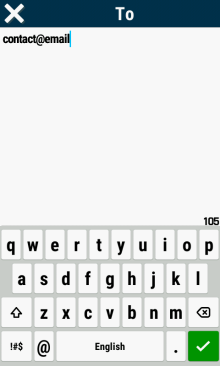
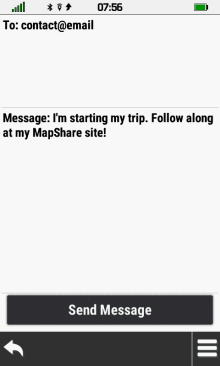
[Type Recipients] to manually add a contact |
Enter
contact address |
Contact address is added to the message |
 |
 |
 |
|
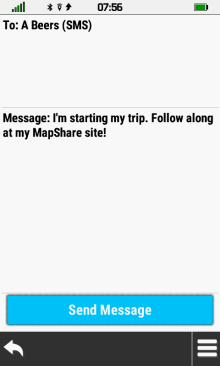
| [Send Message] | inReach message is transmitted via Iridium satellite network |
Message sent successfully |
