Want to give your GPSMAP 276Cx a custom name or icon? Want your GPSMAP 276Cx to stand out in Windows Explorer? You've come to the right place!
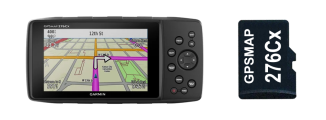
Create Icon
- Select or create images to use as icons for your GPSMAP 276Cx and microSD Card
- Size each image to 256x256 pixels and save in PNG format
- Visit this link to convert each PNG file to ICO format
- Save the converted ICO files to a safe location on your PC
- Or choose from these GPSMAP 276Cx Icons
Install Icon
- Copy your new custom GPSMAP 276Cx icon to the [GPSMAP 276Cx]\Garmin directory.
- Copy your custom microSD Card icon to the [microSD]\Garmin directory.
Enable Icon
- Connect your GPSMAP 276Cx and enter USB Mass Storage Mode
- Navigate to the root directory of your GPSMAP 276Cx GPSr
- Open autorun.inf with Notepad (or Notepad++)
The default autorun.inf file should look similar to this:
[autorun]
icon=Garmin\Garmintriangletm.ico
action=Garmin GPSMAP 276Cx
label=Garmin GPSMAP 276Cx
Modify the second line to reflect the name and location of the custom icon you copied to your GPSMAP 276Cx. For example, if we placed an icon named GPSMAP 276Cx.ico in the [GPSMAP 276Cx]\Garmin directory, we would make the following modification:
[autorun]
icon=Garmin\GPSMAP 276Cx.ico
action=Garmin GPSMAP 276Cx
label=Garmin GPSMAP 276Cx
Save the edited autorun.inf file.
To do the same for the microSD Card, place the GPSMAP 276Cx uSD.ico in the [microSD]\Garmin\ directory and the autorun.inf file to the root directory of your microSD Card, and make similar edits:
[autorun]
icon=Garmin\GPSMAP 276Cx uSD.ico
action=Garmin GPSMAP 276Cx
label=Garmin GPSMAP 276Cx
Save the edited autorun.inf file.
Change Device Name
Want to change the name of your device in Windows Explorer? If we wanted our GPSMAP 276Cx to appear as '276Cx' in windows explorer, we would make the following edit:
[autorun]
icon=Garmin\GPSMAP 276Cx.ico
action=Garmin GPSMAP 276Cx
label=276Cx
Save the edited autorun.inf file.
Similarly, we can make the following edit to the autorun.inf file on the GPSMAP 276Cx microSD card:
[autorun]
icon=Garmin\GPSMAP 276Cx uSD.ico
action=Garmin GPSMAP 276Cx
label=276Cx uSD
Save the edited autorun.inf file.
